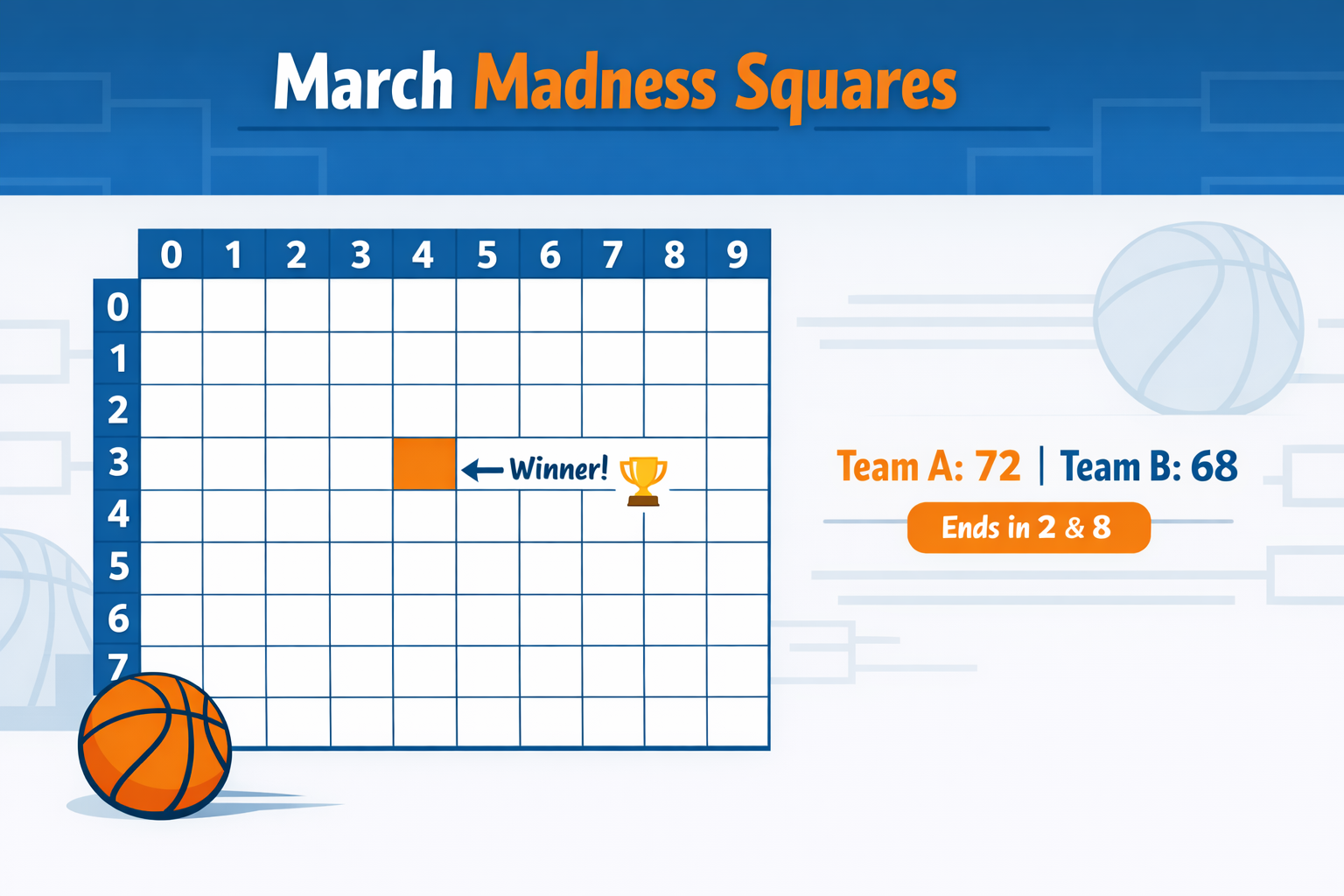
Bracket pools are great until your Cinderella busts in the first weekend and you stop caring by Friday night. March Madness squares fixes that. You get a fresh shot to win after every single tournament game, from the round you pick all the way to the title. No bracket to fill out, no rule book to memorize. Just a 10x10 grid, a few squares to claim, and the last digits of each final score doing the work.
This guide covers how the game works, how to set up a board in minutes, and how to choose a start round that fits your group.
Quick summary: You create a board and choose a start round (e.g., First Round or Sweet 16). Players pick squares. After each game from that round through the championship, the winning square is the one that matches the last digit of the winning team's score (Winners axis) and the last digit of the losing team's score (Losers axis). You can follow along on the board's Winners Timeline as games finish.
What You Will Need
- A free March Madness squares board (e.g., on Pick My Square).
- A start round (First Round, Sweet 16, Elite Eight, or Final Four).
- A way to share the board link (email, group chat, or QR code).
- About 5 minutes to create the board and share it.
Players do not need an app or an account. They open the link, pick one or more squares, and they are in. The board updates automatically as games complete.
Step-by-Step Setup
- Create a March Madness squares board. Go to Pick My Square and create a free board. Choose your start round (First Round, Sweet 16, Elite Eight, or later). That round determines how many games (and winners) you will have from that point through the national championship.
- Share the board link. Send the link to your group. Players open it and pick one or more squares. No signup required.
- Let the board fill. Before the first game in your start round, the board is set. Once all squares are claimed, numbers 0 through 9 are assigned randomly to the Winners axis and the Losers axis.
- Watch the Winners Timeline. As each tournament game ends, the winning square is the intersection of the Winners digit (last digit of the winning team's score) and the Losers digit (last digit of the losing team's score). The board shows which square won each game so everyone can follow along.
One winner per game from your start round through the championship. No bracket picking required.
How Winners Are Determined (With Examples)
The grid has two axes: Winners (0 through 9) and Losers (0 through 9). Each square is a unique pair. For example, Winners 7, Losers 4.
When a game ends, you look at:
- The last digit of the winning team's score (that is the Winners number).
- The last digit of the losing team's score (that is the Losers number).
The square at that intersection wins that game.
Example: A tournament game ends 78 to 72. The winning team's 78 ends in 8 (Winners axis), the losing team's 72 ends in 2 (Losers axis). The square at Winners 8, Losers 2 wins that game.
Same idea with other finals: 65-63 lands on Winners 5, Losers 3. An 82-80 nailbiter lands on Winners 2, Losers 0. Every game ends on a unique square.
The board updates automatically as games complete. The Winners Timeline shows which square won each game, so nobody has to do score math during the tournament.
Choosing a Start Round
Your start round decides how many games (and winners) you have:
- First Round (Round of 64): 63 games, 63 winners. Best if you want to run the full tournament and have a large group. Most action, most winners.
- Sweet 16: 15 games, 15 winners. Good if you want a shorter run or are starting after the first weekend. Still plenty of games.
- Elite Eight: 7 games, 7 winners. Shorter. Great for a smaller watch party or when the tournament is already underway.
- Final Four: 3 games, 3 winners. Minimal setup. Everyone is focused on the last weekend.
You can create a board at any time. If the tournament has already started, pick a start round that has not begun yet (e.g., Sweet 16 or Elite Eight). One square still wins per game from that round through the championship.
Want squares and a bracket pool in the same place? Many groups run both during the NCAA tournament. The bracket is the prediction game; the squares board gives non-bracket-fillers a way to win something from every result.
For more on sports fundraisers and watch parties, see Easy Sports Fundraiser Ideas for Teams and Schools.
Tips for Running a Smooth March Madness Squares Board
- Share the link early. Give people time to pick squares before the first game in your start round.
- Post the board on a TV or big screen at watch parties so everyone can see the Winners Timeline as games finish.
- Remind your group once the day before your start round so the board is full by game time.
- Use the same board for the whole run. You do not need to create a new one for each round. One board runs from your start round through the title game.
March Madness Squares FAQ
Do players need to fill out a bracket?
No. March Madness squares uses a 10x10 grid. Players only pick squares. Winners are determined by the last digit of the winning and losing team scores after each game. No bracket required.
How many winners are there?
One winner per tournament game from your start round through the championship. If you start at the First Round, there are 63 winners. If you start at the Sweet 16, there are 15 winners.
Can we start after the tournament has begun?
Yes. Create a board and choose a start round that has not started yet (e.g., Sweet 16 or Elite Eight). One square still wins per game from that round through the championship.
Is it good for watch parties?
Yes. One winner per game gives everyone something to cheer for every time a game ends. The Winners Timeline makes it easy to follow without a bracket.
How is this different from football squares?
Football squares uses one game and four checkpoints (quarters and final). March Madness squares uses many games: one winner per tournament game. The grid and "last digit" idea are the same; the difference is one game vs. many games.
Where can I create a March Madness squares board?
You can create a free board at Pick My Square. Set your start round, share the link, and the board tracks winners automatically. For bracket pools and squares together, see the March Madness hub.
Takeaway
March Madness squares is easy: create a board, pick a start round, share the link, and one square wins after each game based on the last digit of the winning and losing scores. No bracket picking, no spreadsheets. Set it up in minutes and run it through the tournament. Perfect for watch parties, offices, and fundraisers.
Create a March Madness Squares Board
Free to set up. Share the link. One winner per game from your start round through the championship.
Create March Madness Board →