Running a March Madness bracket pool with friends, coworkers, or your team should be fun. But if you have ever tried tracking 30 brackets on a spreadsheet while games are happening, you know it turns into work fast. The good news? It does not have to be that way. This guide shows you exactly how to set up and run a March Madness bracket pool that keeps everyone engaged without the manual headaches. You will learn how bracket pool scoring works, how to set your rules, and how to get your pool up and running in minutes instead of hours.
In this guide: What a bracket pool is, how scoring works, a step-by-step setup, rules and tiebreakers, tips for maximum participation, common mistakes to avoid, and answers to the questions organizers ask most.
On This Page
- What Is a March Madness Bracket Pool?
- How Bracket Pool Scoring Works
- Setting Up Your Bracket Pool (Step-by-Step)
- Rules and Guidelines for Your Pool
- Tips for Maximum Participation
- Common Bracket Pool Mistakes to Avoid
- Frequently Asked Questions
What Is a March Madness Bracket Pool?
A March Madness bracket pool is a contest where everyone fills out a bracket predicting the outcome of the NCAA Tournament. Participants pick which team wins each game, from the First Round through the national championship. Points are awarded for correct picks, and the person with the most points at the end wins. Bracket pools work for offices, fundraisers, friend groups, and sports bars because the format is simple and the tournament gives you three weeks of built-in excitement.
In a typical tournament bracket pool, each person submits one bracket (or sometimes multiple) before the first game tips off. As the 67 games play out over about three weeks, correct picks earn points. The further a pick goes (e.g., correctly picking the champion), the more points it is usually worth. That keeps the pool interesting even after the first weekend, when most brackets are already busted by upsets.
Bracket pools are different from March Madness squares, where players pick squares on a grid and one square wins after each game based on score digits. If you want a game that does not require filling out a full bracket, see How March Madness Squares Work. For a full tournament bracket pool where everyone predicts the whole bracket, this guide is for you.
Example: Sarah runs an office bracket pool every year. She creates the pool, sends one link to the team, and 40 people submit brackets before the deadline. She does not touch a spreadsheet. Scores update automatically as games finish, and everyone checks the leaderboard from their phone.
How Bracket Pool Scoring Works
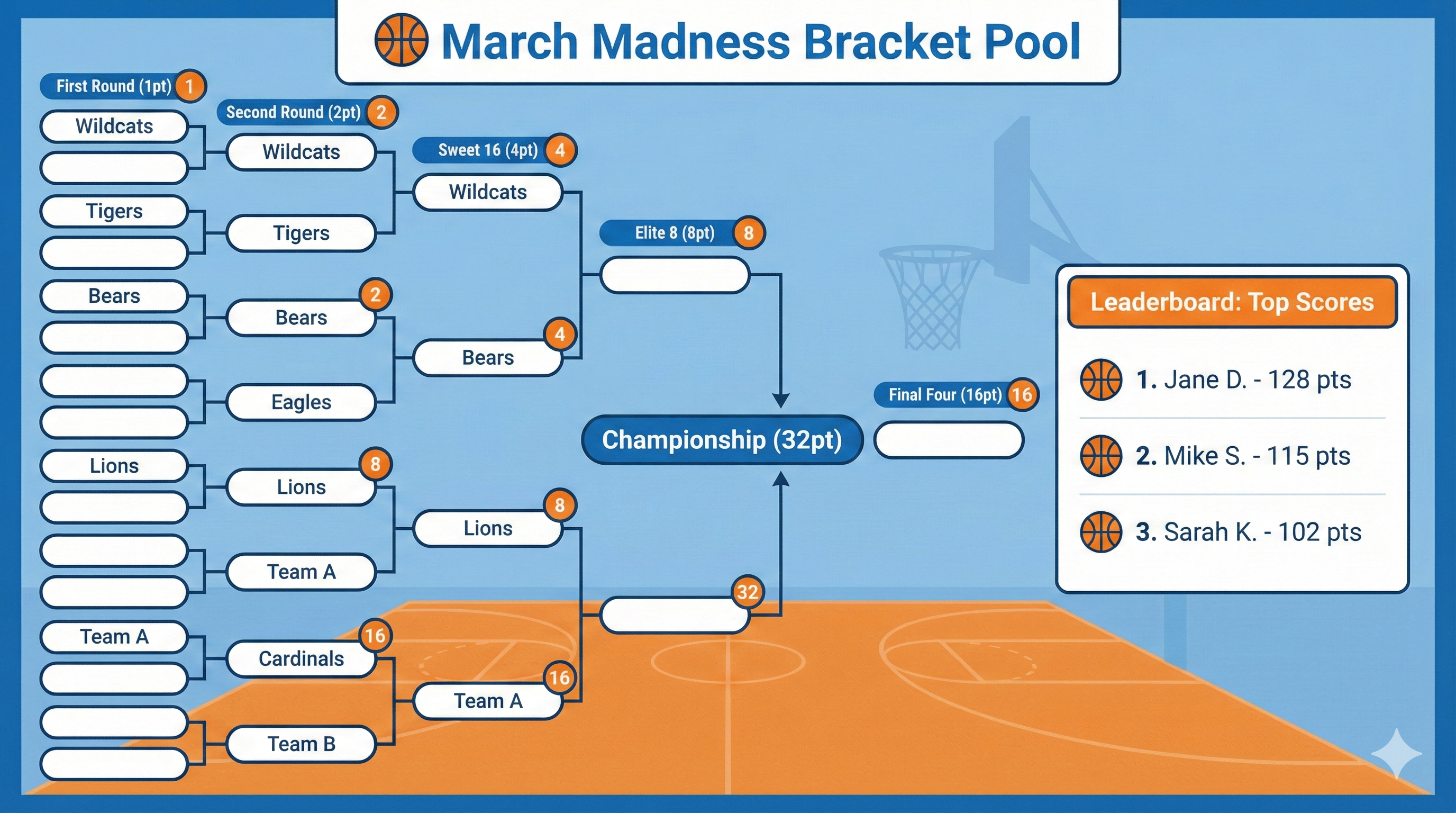
Most March Madness bracket pools use a standard scoring system where each round is worth more points than the last. The idea is simple: guessing the champion is harder than guessing a First Round winner, so it should be worth more. Here is how it usually breaks down.
Standard bracket pool scoring (points per correct pick):
- First Round (Round of 64): 1 point per correct pick (32 games)
- Second Round (Round of 32): 2 points per correct pick (16 games)
- Sweet 16: 4 points per correct pick (8 games)
- Elite Eight: 8 points per correct pick (4 games)
- Final Four: 16 points per correct pick (2 games)
- Championship: 32 points per correct pick (1 game)
So if you correctly pick the national champion, that pick alone is worth 32 points. If you correctly pick all four Final Four teams, that is 64 points total (16 × 4). Early rounds add up too: a perfect First Round is 32 points (1 × 32 games). Bracket pool scoring rewards both nailing the big games and surviving the chaos of the first weekend.
Why later rounds are worth more: Picking a 1-seed to beat a 16-seed is easy. Picking the two teams that will make the title game is hard. Weighting later rounds more keeps the pool competitive even after upsets wipe out most brackets. Alternative systems exist (e.g., doubling each round, or bonus points for upsets), but the 1-2-4-8-16-32 system is the most common and the easiest to explain. Stick with it unless your group has a reason to change.
Pro tip: You do not have to calculate any of this yourself. With PickMySquare's bracket pool tool, you choose the scoring system (including standard 1-2-4-8-16-32), and scores update automatically as each game finishes. No spreadsheets, no manual entry.
Setting Up Your Bracket Pool (Step-by-Step)
Follow these steps and your March Madness bracket pool will be ready before the first game.
Step 1: Decide your group size and format. Are you running an office bracket pool, a fundraiser for a youth team, a friend group, or a sports bar promotion? The format does not change, but it affects how you invite people and how you talk about the pool. For an office pool you might use email or Slack; for a fundraiser you might post the link at the concession stand; for a bar you might put the link on the big screen. Knowing your audience up front saves confusion later.
Step 2: Choose your scoring system. We recommend the standard 1-2-4-8-16-32 system. It is familiar, easy to explain, and most platforms support it. Tell participants up front: "We're using the usual scoring: 1 point for the first round, 2 for the second, and so on through 32 for the champion." That way there are no surprises.
Step 3: Set your deadline. All brackets must be submitted before the first tournament game tips off. Usually that is the first Thursday of the tournament. Pick a specific date and time (e.g., "Brackets due Wednesday, March 19 at 11:59 p.m. ET") and stick to it. Late submissions create arguments. Communicate the deadline everywhere: in the invite, in reminders, and on the pool page.
Step 4: Create your bracket pool. This is where you choose your platform. You can use a paper bracket or a spreadsheet, but that means you will be updating 30+ brackets by hand after every game. With PickMySquare, Step 4 takes about 3 minutes. You create the pool, set the scoring (e.g., standard 1-2-4-8-16-32), and get a shareable link. You are done. No template design, no formula setup.
Step 5: Send invites to participants. Share the pool link by email, group chat, or your team app. One link is enough: participants open it, fill out their bracket, and submit. No complicated signup. If you are running a tournament bracket pool at a bar or fundraiser, post the link or a QR code where everyone can see it. The easier it is to join, the more entries you get.
Step 6: Collect entries before the first game. Remind people 48 hours before the deadline. Send the link again the morning of the deadline. Once the first game starts, bracket submission should close. Do not accept late brackets; it is not fair to everyone who turned theirs in on time.
Step 7: Track scores as the tournament progresses. If you are doing this manually, you will be updating every bracket after every game. That is 67 games and dozens of brackets. The better approach: use a platform that updates scores automatically. With PickMySquare, the leaderboard updates as games finish. You and your participants just check the pool page. No spreadsheets, no errors.
Rules and Guidelines for Your Pool
Clear rules prevent disputes. Keep these in mind when you set up your March Madness bracket pool.
-
Entry deadline: All brackets must be submitted before the first tournament game. State the exact date and time (and time zone). No exceptions.
-
Tiebreaker: If two or more people finish with the same total points, the standard tiebreaker is total points scored in the championship game. Each participant predicts the combined score of both teams in the final. The person whose prediction is closest to the actual total wins the tiebreak. Set this rule before the pool starts.
-
Late submissions: If someone submits after the deadline, they are typically disqualified. Say so in the rules. Do not make exceptions or everyone will ask for one.
-
Changing picks: Once a bracket is submitted, it is locked. No editing picks after the deadline. Make sure your platform enforces this so there is no confusion.
-
Upsets and busted brackets: Everyone stays in the pool until the end. The winner is simply the person with the most points when the championship game is over. Even if someone's bracket is "busted" after the first weekend, they can still win if their remaining picks pile up points. Keep it simple.
-
Communication: Post the rules (deadline, scoring, tiebreaker) in the same place as the pool link. Send one reminder with the link and the deadline. During the tournament, a quick update after each round ("Leaderboard updated after the Sweet 16") keeps people engaged.
Tips for Maximum Participation
You want as many people as possible to join your bracket pool. These tips help.
Send reminders as Selection Sunday approaches. The bracket is revealed on Selection Sunday. Send your pool link that day or the next. Send a reminder 48 hours before the deadline with the pool link and the exact cutoff time. Many people forget until the last minute; one more nudge fills brackets.
Make joining easy. One link, no complicated signup. If people have to create an account, remember a password, or download an app, you will lose them. Use a platform where opening the link is enough. Share the link in email, Slack, or your team app so everyone sees it.
Build excitement before the deadline. Share a few bracket tips or upset predictions. Post something like: "Only 3 people in our pool picked this 12-seed to make the Sweet 16." That kind of stat gets people talking and checking the leaderboard.
Post updates during the tournament. After each round, post a quick update: who is leading, who had the biggest jump, which bracket is still alive. People love to see their name and to trash talk. A group chat or channel works well for this.
Celebrate the winner. When the tournament ends, announce the winner publicly (in the office, in the group chat, or at the bar). A little recognition makes people want to play again next year.
For fundraisers: Emphasize the cause, not just the competition. "Your entry supports our youth basketball team" or "All participation helps the booster club." Tie the pool to something people care about. For more ideas, see Easy Sports Fundraiser Ideas for Teams and Schools.
Common Bracket Pool Mistakes to Avoid
Mistake 1: Not setting a clear deadline. If you say "get your bracket in before the tournament," people will disagree about when that is. Fix: Pick a specific date and time (e.g., "Wednesday, March 19 at 11:59 p.m. ET") and state it everywhere.
Mistake 2: Using a complicated scoring system. Custom point values or bonus rules are hard to explain and easy to get wrong. Fix: Use the standard 1-2-4-8-16-32 system. Everyone understands it.
Mistake 3: Forgetting tiebreaker rules. Ties happen. If you did not decide the tiebreaker in advance, you will be making it up on the spot. Fix: Announce before the pool starts: "Ties are broken by total points in the championship game."
Mistake 4: Manual score tracking. Updating 30 brackets after every game is error-prone and time-consuming. Fix: Use a platform that updates scores automatically. You run the pool; the tool runs the math.
Mistake 5: Not communicating updates. If participants do not know who is winning or when the next round starts, they tune out. Fix: Post a short update after each round and remind people where to find the leaderboard.
Frequently Asked Questions
How many points is each round worth in a bracket pool?
In the most common system, each round is worth double the previous: 1 point for the First Round, 2 for the Second Round, 4 for the Sweet 16, 8 for the Elite Eight, 16 for the Final Four, and 32 for the championship game. So a correct champion pick is worth 32 points.
When is the deadline to submit brackets?
Brackets must be submitted before the first tournament game tips off. That is usually the first Thursday of the tournament. Set a specific date and time (e.g., Wednesday at 11:59 p.m. ET) and communicate it clearly so everyone has a fair chance.
What happens if two people tie for first place?
The standard tiebreaker is the total points scored in the championship game. Each person predicts the combined score of both teams in the final. Whoever is closest to the actual total wins. Decide this rule before the pool starts and post it with your pool rules.
Can I run a bracket pool for a fundraiser?
Yes. Bracket pools work well for youth sports, booster clubs, and school fundraisers. You run the pool the same way; participation or entry can support your cause. Keep the rules simple and the link easy to share. For more fundraiser ideas, see Easy Sports Fundraiser Ideas for Teams and Schools.
How do I keep track of everyone's brackets during the tournament?
You can track brackets manually with a spreadsheet, but it is tedious and prone to errors. Platforms like PickMySquare update scores automatically as games finish. You and your participants just check the leaderboard. No data entry required.
Do I need special software to run a bracket pool?
No. You can run a bracket pool with paper brackets and a spreadsheet. But for more than a handful of people, software saves time and avoids mistakes. PickMySquare's bracket pool tool is free: you create the pool, share a link, and scoring is handled for you. For the official NCAA bracket and tournament schedule, see NCAA.com.
Wrap-Up
Running a March Madness bracket pool should be fun, not a second job. The hard part is usually tracking dozens of brackets and updating scores after every game. It does not have to be complicated. Choose a clear deadline and a simple scoring system, share one link with your group, and use a platform that updates the leaderboard for you. That way you can enjoy the tournament instead of managing spreadsheets.
Ready to run your bracket pool the easy way? Try PickMySquare's free March Madness bracket pool tool. Set up your pool in minutes, invite your group with one link, and let the scoring handle itself. Get your pool set up before Selection Sunday and enjoy the tournament.
Start Your March Madness Bracket Pool
Create your pool in minutes. One link for your group. Scores update automatically as games finish.
Create Free Bracket Pool →