A squares board that turns every quarter into a sweat.
One link, 100 squares, and your whole group glued to the last digit of the score. Players tap in from their phone, with no app and no account to make.
Want to see one first? Take a look at a live board
- One link to share
- Works in any browser, no app
- Players never have to sign up
Joining a friend's board? Open the link they sent you, or browse public games.
Groups have created 122 boards and pools here in the last month. All told, players have picked 24,542 squares.
NFL games coming up
Pick a game and your board starts with the teams and date already filled in.
New England Patriots @ Seattle Seahawks
Join this board1,338 games created · 6,278 players joined · 24,542 squares picked · free forever
Four steps and your group is playing
Build it
Make a 10x10 grid or a full bracket pool. Pick the teams, set the date. Most people have it built before the snacks are out.
Send the link
Text it, email it, drop it in the group chat. Anyone opens it on any device, no app to download.
Everyone picks
Players grab squares as guests. The numbers get drawn at random the moment you lock the board, so nobody can game it.
Watch it play out
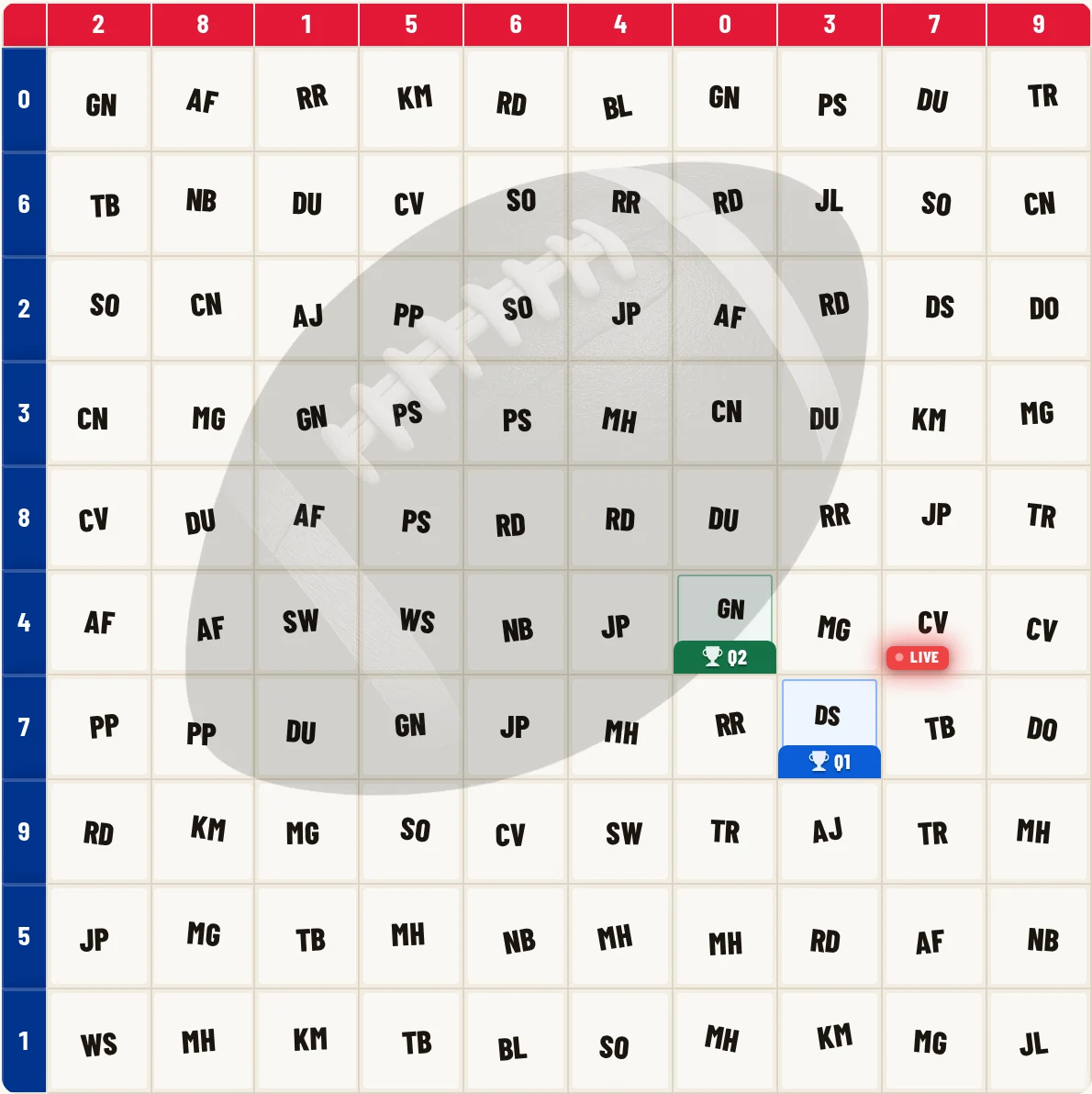
Scores update on their own. Quarter ends 17-24? The 7 and 4 square lights up and that player wins. No math, no arguing.
Squares for a game, brackets for a tournament, raffles for everything else
Football Squares: a new winner every quarter
A 10x10 grid for the Super Bowl, a random Tuesday NFL game, March Madness, or the NBA playoffs. Numbers get drawn at random so nobody can game it, and people join straight from a link or QR code.
Start a squares board Learn moreFill out the whole tournament before the first tip
Everyone picks all 63 games up front. As upsets land, the leaderboard reshuffles live, so you know exactly who is gloating. Set your own points per round and a tiebreaker for the wire.
Start a bracket pool Learn moreA prize drawing that runs itself
No game needed. People grab squares from your link, you hit draw, and winners land live on screen. Built for office parties, fundraisers, and family reunions.
Start a raffle board Learn morePaper boards and quick pickers
Printable squares grids for the break room, plus a random number generator, name picker, coin flip, and dice roller for fast decisions. Free, no signup.
Browse the free tools Printable boardsHow sports squares actually work
Squares is the watch-party game where you don't need to know a thing about the sport to win. Everyone grabs squares on a 10x10 grid, the numbers get drawn at random once it fills up, and a new winner pops at the end of each quarter when the last digit of each team's score lands on their square. That is the whole game. The same grid works for football squares, the Super Bowl, March Madness, and a playoff night in the NBA or WNBA.
Want something that runs the whole tournament instead of one game? A March Madness bracket pool has everyone pick all 63 matchups up front, then the leaderboard sorts itself out as the upsets roll in. Both are free to run, and the people who join never have to make an account.
Questions people ask first
Who uses Pick My Square?
Super Bowl watch parties
Run a Super Bowl squares board from your phone or laptop. No paper or markers; everyone uses the same link.
March Madness office pools
Start a bracket pool or squares board for the NCAA Tournament. Drop one link in Slack or email and everyone picks from their desk.
Fundraisers
Share a digital board or bracket pool with parents, fans, or donors. Skip the printing, the manual number drawing, and the spreadsheet tracking.
More questions
How many people can join? A standard 10x10 board has 100 squares. Bracket pools have no participant limit.
Can I customize scoring? Yes. Bracket pools let you set custom point values per round. Squares boards support quarter, halftime, and final scoring.
Can I run this for an office pool or a fundraiser? Yes. Pick My Square gives you the board and the live tracking; anything your group arranges on its own is up to you.
Can I run both squares and brackets? Yes, from the same account.
Do I need a branded portal to run a pool? No, boards are free and always will be. If you run pools for an organization every season, see branded portals for your own URL and branding.
Running pools for a bar, a league, or your company?
Boards are free, no portal required. If you run pools every season, put your logo and colors on a branded portal at yourorg.pickmysquare.com, keep every board in one spot, and switch the ads off for the people who play.
Spin up your football squares board.
Free forever. No app to install. Players join from a link with no account.