What's new this season
August 24, 2026
Football is back, so most of this is squares boards: a faster way for players to grab squares, and a pile of new controls for the people running the pools.
For everyone
My Games got rebuilt around today
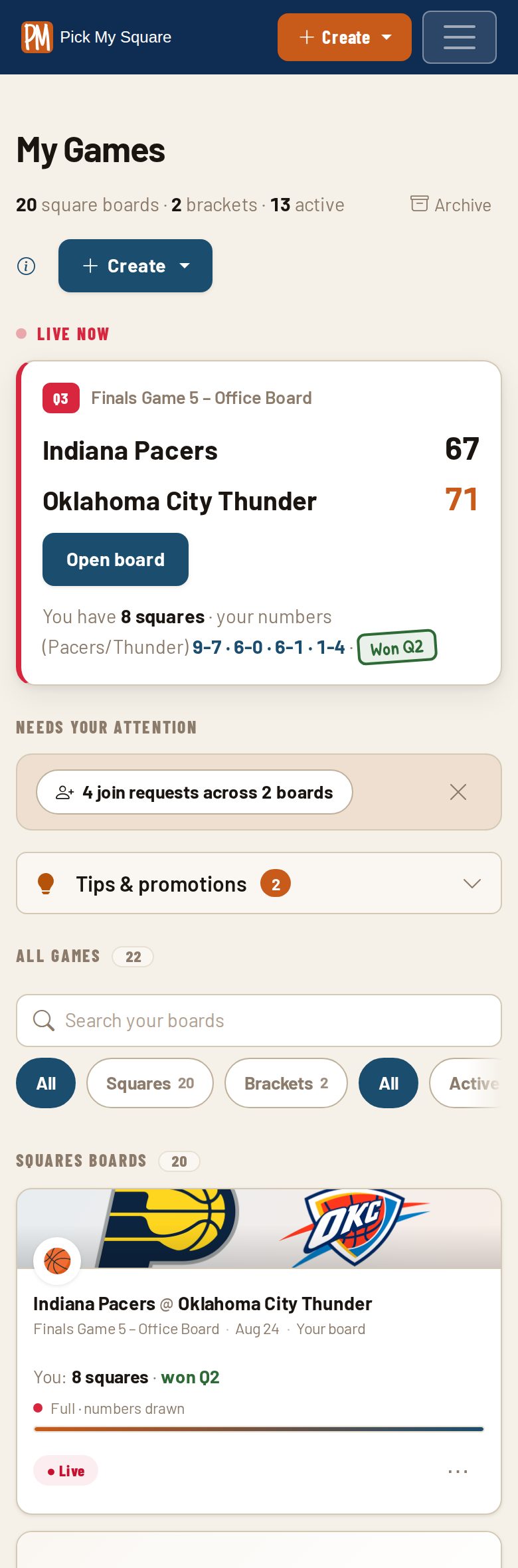
The dashboard now leads with whatever is actually happening: a hero card for your next live or upcoming game, compact cards for everything else, and scores that refresh themselves while a game is running. Anything waiting on you, like join requests or numbers ready to draw, gathers into one band at the top instead of scattering across a dozen cards. On a phone the whole page is a fraction of the height it used to be.
Printable boards and a shelf of free tools
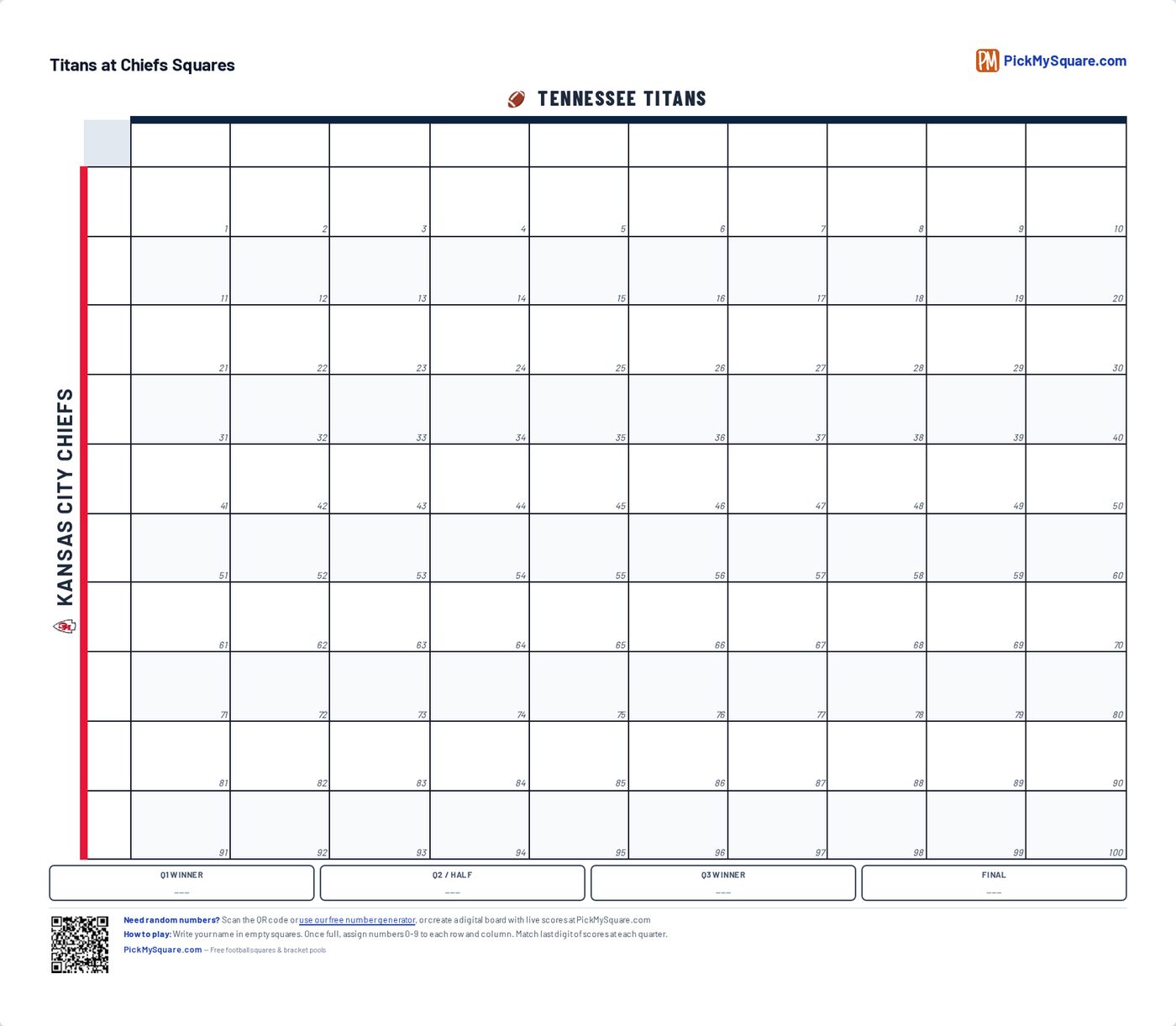
If you'd rather run your pool on paper, there's a blank printable board plus a builder that fills in team names and colors and fits on one page. Save it with your email and the link reopens that exact board on any device later. There's also a tools page we keep adding to: number generator, spin-wheel name picker, coin flip, dice, random team generator.
Pick exactly which emails you want
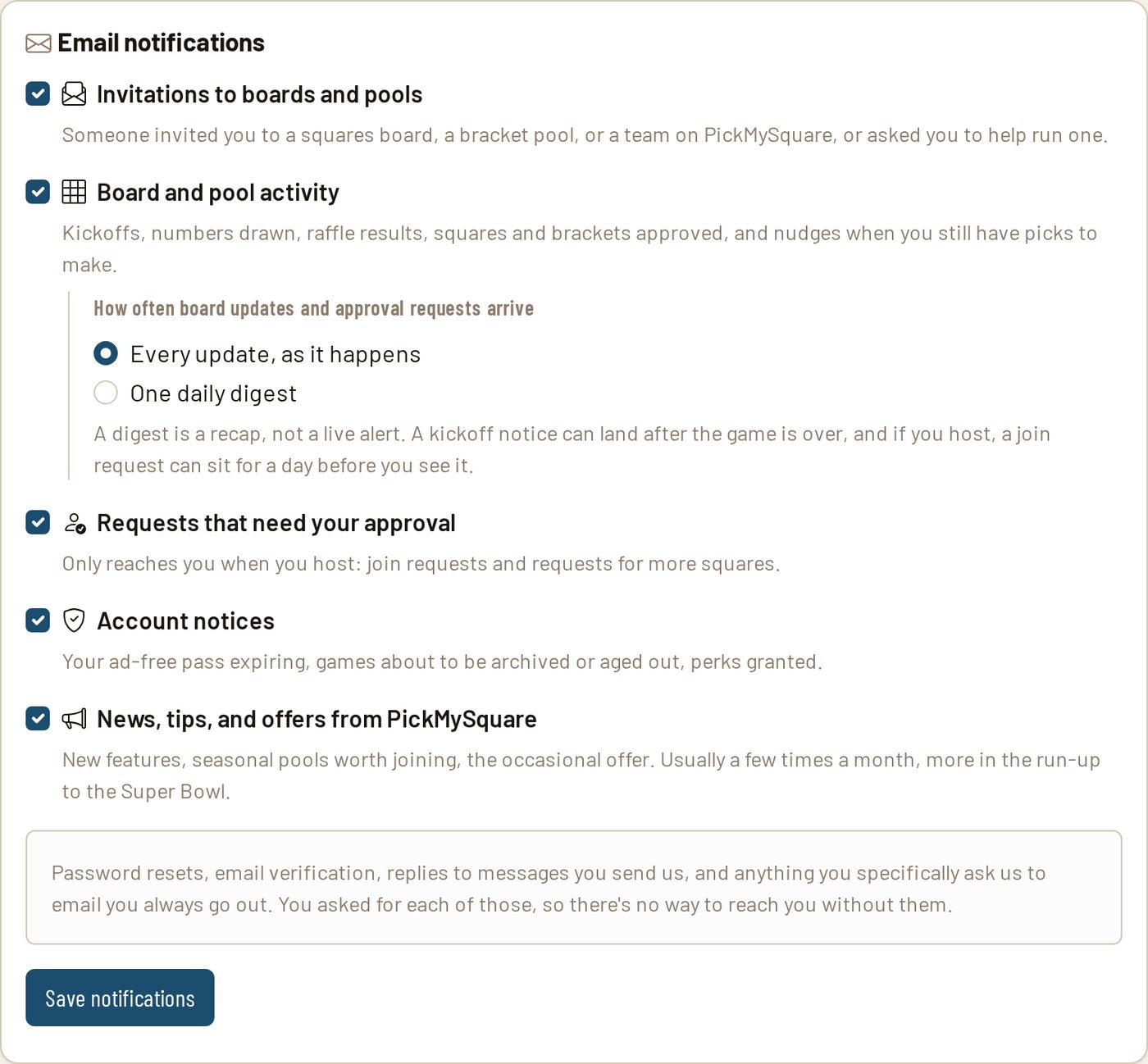
Email used to be one switch: all of it or none of it. Now there are five categories you control separately, covering invites, board activity, host alerts, account notices, and news. You can also bundle the chatty ones into a daily recap instead of getting them as they land. Muting kickoff reminders no longer costs you your board invites.
For hosts
Fill in squares yourself by tapping the grid
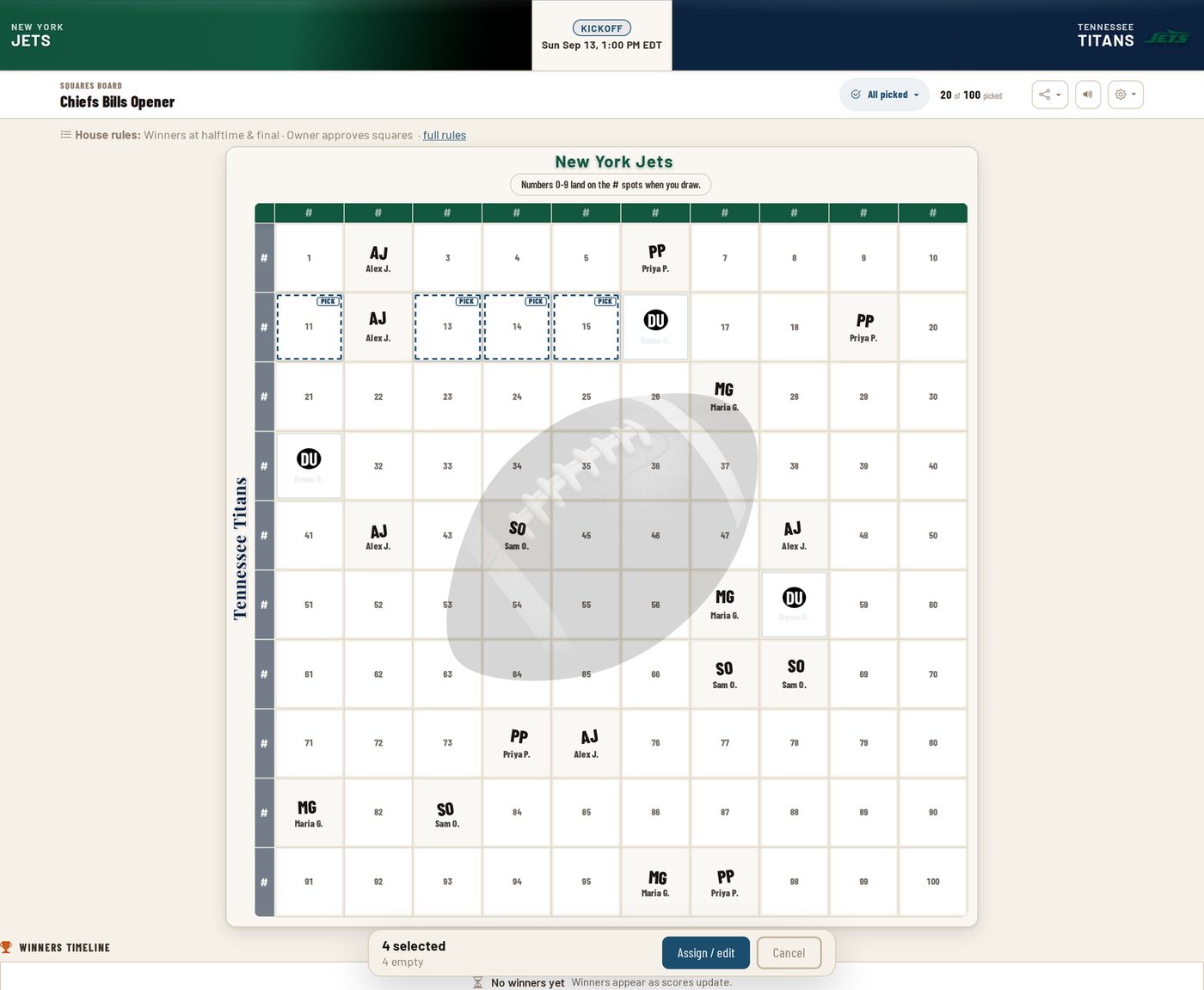
Before the numbers are drawn, tap any square on your own board and a bar slides up. From there you can assign it to a player, hand it to somebody else, or clear it out. Select a handful at once and the action applies to all of them. This is for the half of your pool who tell you their squares in person and never open the link. Approvers you've added get the same tools.
When a board fills up, open another one

A full board used to be a dead end for everybody still asking to get in. Now you can open a linked sibling board for the same game straight from the full one. It's a fresh grid that draws its own numbers once it fills, and the two boards share nothing but the game. If requests are already stacked up on the full board, you can move them over instead of telling people to start again.
Backwards winners
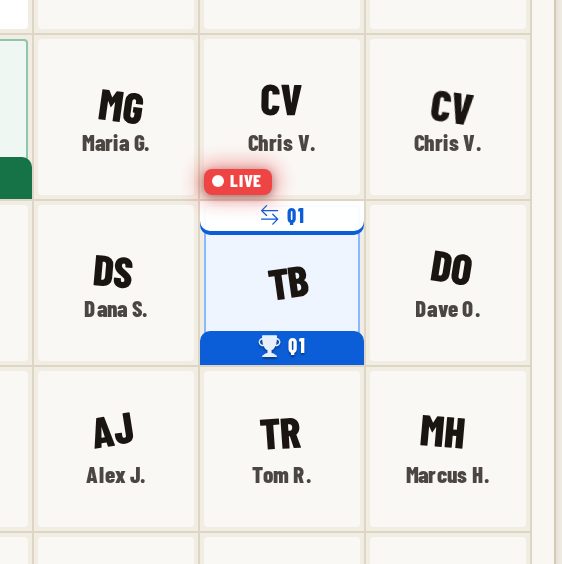
Traditional boards can now award a second winner for every period that already has one: the square holding the same two digits with the teams flipped. Right numbers, wrong teams. It's off unless you switch it on, and it's per board. The quarter tags on the grid were redrawn at the same time so a square that wins a period both ways can show both without becoming unreadable.
Series boards run one grid across a whole slate
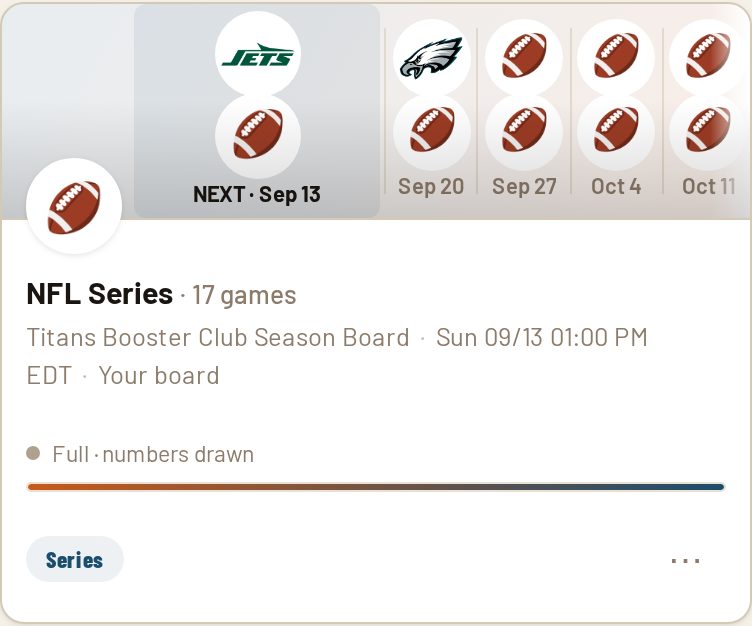
Pick a list of games (a playoff run, a rivalry series, a Saturday of college football) and one set of squares plays all of them. You can search the full season by team while you're building the list, set scoring game by game, and decide whether every game draws its own numbers or the entire series shares a single draw. The card on My Games shows you what's coming up next in the series.
Raffle boards for the days there's no game
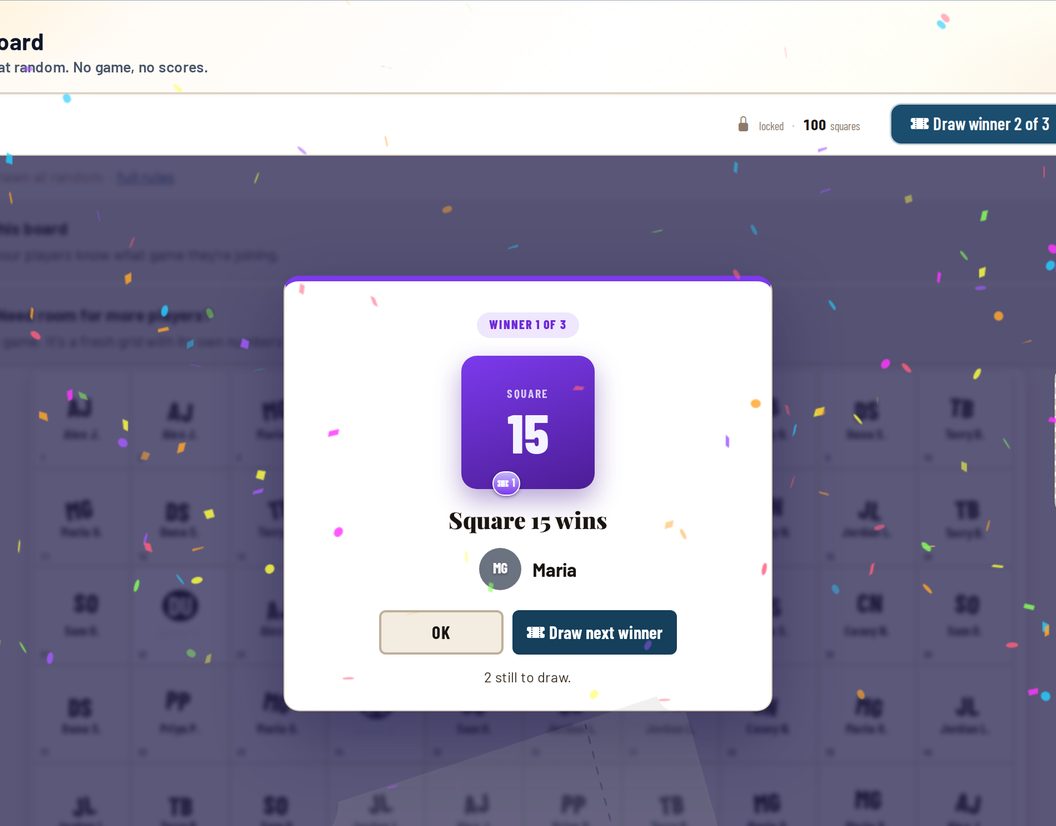
Same grid, same claiming, no game attached at all. Once it fills, you draw the winning squares at random. One click per winner by default so the room gets a real moment for each reveal, or draw everything at once if you'd rather not drag it out. Built for fundraisers, office parties, baby showers, and anything else where the squares are the whole event.
For players
Grab your squares first, sign up after
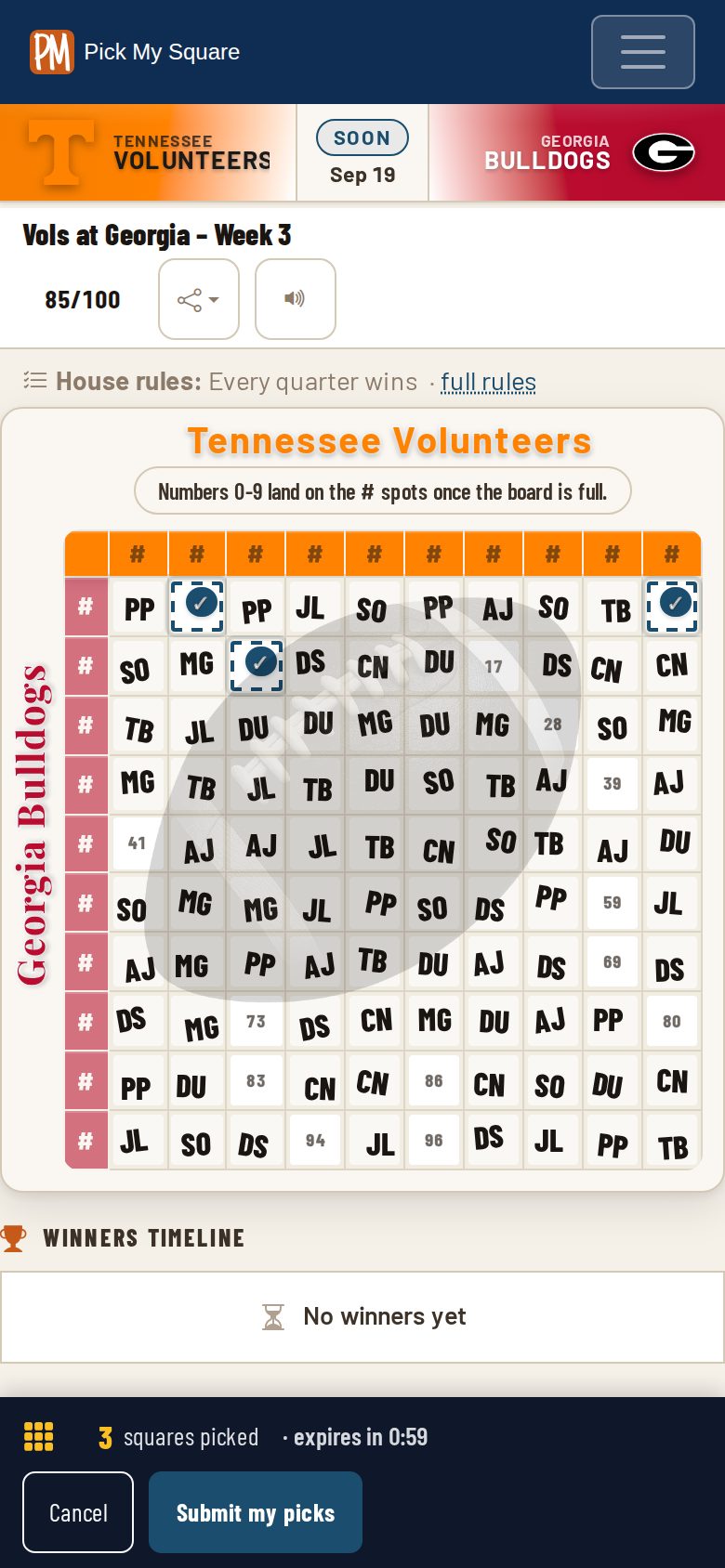
Open a board someone shared with you and tap the squares you want right on the grid. Your name and email come at the end, not the beginning. Picks are held for you for a minute while you finish, everyone else watching the board sees them turn up as pending, and if the host has instant claiming turned on you're in the moment you submit.
Every board tells you its own rules
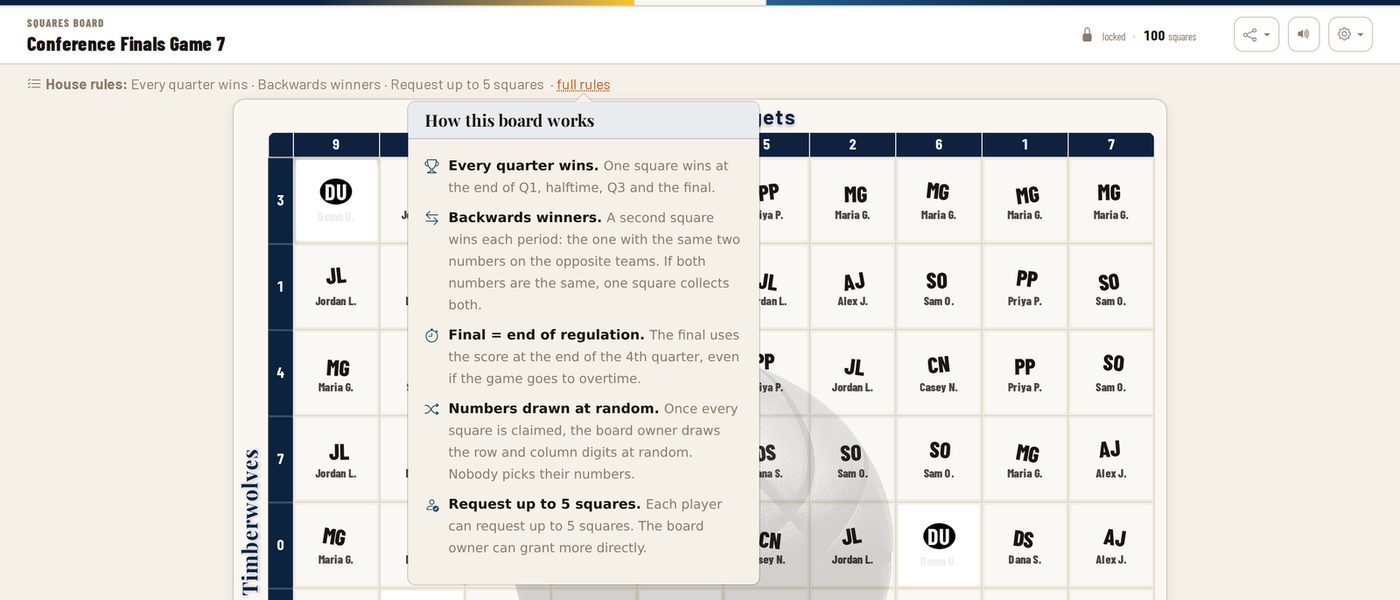
There's a quiet line under the board header spelling out how that specific board runs: which periods win, whether backwards winners are on, whether overtime counts, any cap on squares per person. Tap it and you get the plain-language version of each rule. No more guessing whether halftime has a winner, or texting the host in the middle of the second quarter.
Watch the winning square move
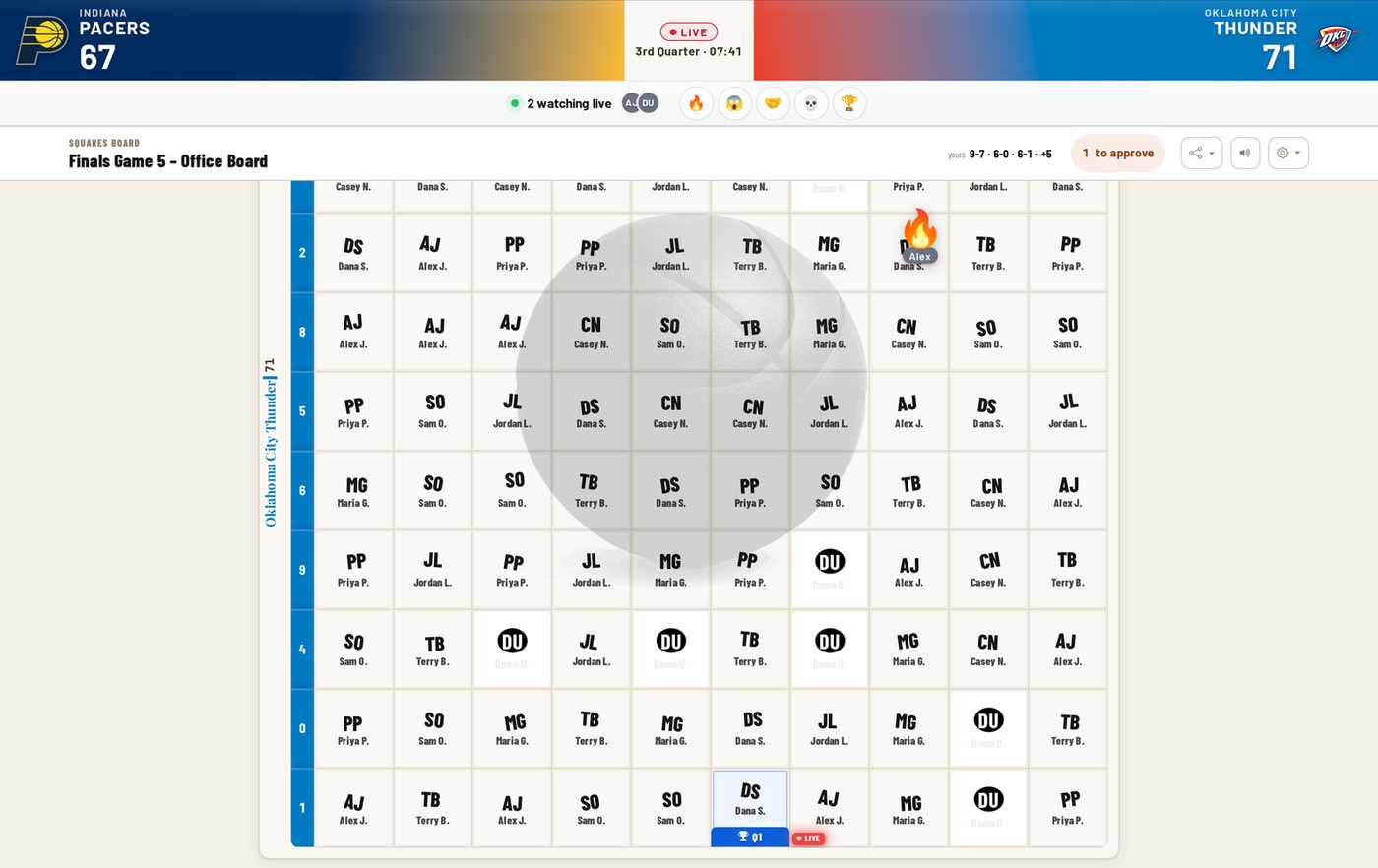
As the score changes, a marker hops to whichever square would win at that moment and pops when it lands. When it lands on yours, the pop is bigger and you get a little ding. You can also see who else is on the board with you and which reactions they're firing off, with names attached, so you know exactly who's talking trash.